

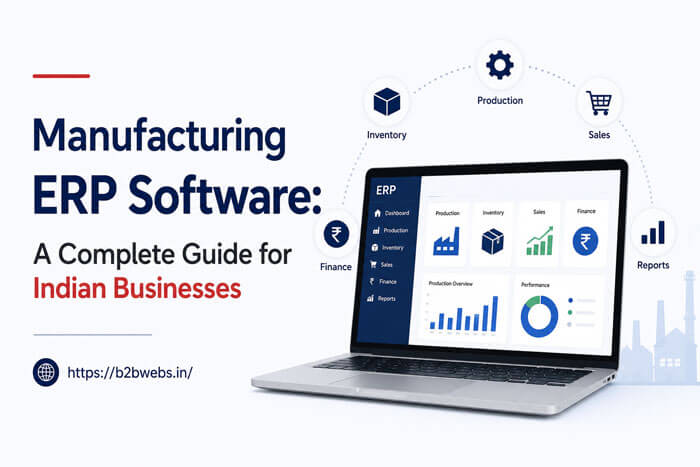




Manufacturing ERP (Enterprise Resource Planning) software integrates all aspects of a manufacturing business — production, inventory, purchasing, sales, finance, and HR — into one system. For Indian manufacturers, a good ERP improves efficiency by 20-30%, reduces inventory costs by 15-25%, and provides real-time visibility into operations. This guide covers types of manufacturing ERP, features to look for, costs, and how to choose the right one for your business.
What Is Manufacturing ERP Software?
Manufacturing ERP software is a comprehensive platform that connects every department in a manufacturing company. Instead of using separate software for accounting, inventory, production, and sales — an ERP brings everything together in one system with a single database.
For a manufacturing company in Hosur or anywhere in India, ERP eliminates data silos, reduces manual data entry, and gives management real-time visibility into the entire operation.
Key Features of Manufacturing ERP
- Production Planning: Create production schedules, manage work orders, track progress.
- Inventory Management: Track raw materials, WIP, finished goods — in real-time.
- Bill of Materials (BOM): Define product structure, components, and quantities needed.
- Purchase Management: Manage purchase orders, supplier records, procure-to-pay.
- Sales Management: Quotations, sales orders, invoicing, customer management.
- Quality Control: Define QC checkpoints, capture inspection data, generate reports.
- Financial Accounting: Ledger, accounts payable/receivable, P&L, balance sheet.
- HR & Payroll: Employee records, attendance, salary processing.
- Reporting & Analytics: Dashboards, production reports, financial reports.
- GST Compliance: GST invoice generation, e-way bill, returns filing.
Types of Manufacturing ERP
On-Premise ERP
Installed on your own servers. You have full control but need IT infrastructure.
- Pros: Full data control | Cons: High upfront cost (₹2–10 lakhs)
- Pros: No recurring subscription | Cons: Requires IT team for maintenance
- Pros: Customizable | Cons: Updates are manual
Cloud ERP (SaaS)
Hosted on the provider’s servers. Accessible from anywhere via browser.
- Pros: Lower upfront cost (₹5,000–₹20,000/month) | Cons: Ongoing subscription fees
- Pros: Automatic updates | Cons: Limited customization
- Pros: Access from anywhere | Cons: Data stored on external servers
Custom ERP
Built specifically for your business processes.
- Pros: Perfect fit for your workflows | Cons: Higher upfront cost (₹1–5 lakhs)
- Pros: No unnecessary features | Cons: Longer development time (4–16 weeks)
- Pros: Full ownership | Cons: Needs maintenance support
Manufacturing ERP Cost in India
- Entry-Level Cloud ERP: Setup/Development Cost: ₹10,000 – ₹50,000 (setup) | Monthly/Annual Cost: ₹5,000 – ₹15,000/month
- Mid-Market Cloud ERP: Setup/Development Cost: ₹50,000 – ₹2,00,000 (setup) | Monthly/Annual Cost: ₹15,000 – ₹50,000/month
- Enterprise Cloud ERP: Setup/Development Cost: ₹2,00,000+ (setup) | Monthly/Annual Cost: ₹50,000 – ₹2,00,000/month
- On-Premise ERP: Setup/Development Cost: ₹2,00,000 – ₹10,00,000 | Monthly/Annual Cost: ₹50,000 – ₹2,00,000/year (maintenance)
- Custom ERP (B2B Webs): Setup/Development Cost: ₹1,00,000 – ₹5,00,000 | Monthly/Annual Cost: ₹20,000 – ₹50,000/year (maintenance)
Benefits of Manufacturing ERP
- Real-Time Visibility: Know exactly what is happening in production, inventory, and sales at any moment.
- Reduced Inventory Costs: 15–25% reduction through better planning and real-time tracking.
- Improved Production Efficiency: 20–30% improvement through optimized scheduling.
- Better Quality Control: Track defects by batch, machine, operator — identify root causes faster.
- GST Compliance: Automated GST invoices, e-way bills, and return filing.
- Data-Driven Decisions: Reports and dashboards give management actionable insights.
- Scalability: Add new products, lines, or locations without changing systems.
Signs You Need a Manufacturing ERP
- You use separate software for accounting, inventory, and production that do not talk to each other
- Your team enters the same data in multiple systems
- You do not know your current inventory levels without checking physically
- Production scheduling is done on whiteboards or spreadsheets
- You struggle to track work-in-progress across the shop floor
- Quality issues take days or weeks to trace back to the root cause
- GST compliance is manual and time-consuming
- Management reports take days to compile
How to Choose the Right Manufacturing ERP
Step 1: Define Requirements
List every module you need now and may need in 2-3 years.
Step 2: Consider Company Size
- Small (10-50 employees): Cloud ERP or custom ERP with essential modules
- Medium (50-200 employees): On-premise or custom ERP with full modules
- Large (200+ employees): Enterprise ERP with advanced features
Step 3: Check Integration
Does it integrate with your existing accounting software, bank, and government portals?
Step 4: Get Demos
Shortlist 3-4 ERP providers and ask for live demos with your actual data.
Step 5: Check Support
Is support available in your time zone? In your language?
Step 6: Calculate Total Cost
Factor in: license/setup fees + annual maintenance + training + hardware (if on-premise)
Why Hosur Manufacturers Choose Custom ERP
- Industry-Specific Workflows: Auto component, electronics, and industrial machinery manufacturing have unique processes that generic ERPs do not handle well.
- Integration with Existing Systems: Many Hosur manufacturers have legacy systems they want to keep.
- Tamil Language Support: Custom ERPs can include Tamil language interfaces for shop floor workers.
- Local Support: B2B Webs is based in Hosur — on-site support available.
- No Vendor Lock-In: You own the source code and intellectual property.
Frequently Asked Questions
What is the difference between ERP and standalone manufacturing software?
Standalone manufacturing software typically handles one function (e.g., production scheduling or inventory). ERP integrates ALL functions — production, inventory, purchasing, sales, finance, HR — into one system with a shared database.
How long does it take to implement ERP for a manufacturing company?
A basic cloud ERP can be set up in 2-4 weeks. A comprehensive on-premise or custom ERP takes 8-16 weeks including customization, data migration, and training.
Can ERP handle GST compliance?
Yes. Modern manufacturing ERP systems include GST-compliant invoicing, e-way bill generation, and GST return filing. Custom ERPs can be tailored to your specific compliance needs.
Do small manufacturing businesses need ERP?
Yes — small manufacturers benefit the most from ERP because they often lack the manual resources that larger companies have. A basic ERP can pay for itself within 6-12 months through efficiency gains and waste reduction.
Is cloud or on-premise ERP better for manufacturing?
Cloud ERP is better for companies with limited IT resources and multiple locations. On-premise is better for companies with strict data security requirements or unreliable internet. Custom ERP can be deployed either way.
Ready to implement ERP for your manufacturing business? B2B Webs builds custom manufacturing ERP solutions for companies in Hosur. [Contact us for a free consultation].